Overview
This procedure processes invoices received at a designated email inbox, extracts key data fields, and creates corresponding records in Salesforce. It ensures accurate capture of invoice information for centralized tracking and financial reporting.
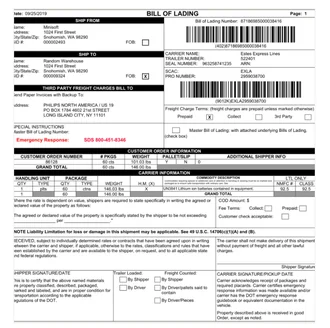
Execution Steps
1. Invoice Intake
- Poll the ap@acme.com inbox every 15 minutes.
- Attach each new PDF to a pending run.
2. Field Extraction
- Read the vendor, invoice number, date, and total.
- Match the vendor against the Salesforce account list.
- Flag any field the document does not state.
3. Ledger Entry
- Append one row per invoice to ACME_INV.
- Post the matched account and the extracted amount.
- Skip a row that already exists for that invoice number.
4. Notification
- Email the AP manager a summary of the run.
- List every invoice posted and every exception raised.
5. Escalation Criteria
- Total above the approval threshold
- Vendor absent from the account list
- Duplicate invoice number
6. Duplicate Detection
- Compare vendor, invoice number, and total against the last 90 days.
- Hold any match for review instead of posting it.
- Record the matched pair on both rows.
7. Approval Routing
- Route anything above $10,000 to the controller.
- Route anything without a purchase order to the AP manager.
- Wait for an explicit approval before posting.
8. Reconciliation
- Match each posted row back to the originating email.
- Total the run and compare it against the inbox count.
- Report any invoice collected but not posted.
9. Audit Trail
- Keep the source PDF alongside every extracted field.
- Record which rule approved or held each invoice.
- Retain the run log for seven years.
Success! Your run has been completed.
You can view this run’s outputs here. Some other overview related information about the run being successful. Below is a list of outputs but can be a list of anything else that’s relevant to a successful run:
- Emails collected
- Invoices scanned, along with the extracted fields
- Information updated in the Salesforce tables
Scroll up to view all resolved exceptions, add them to Troubleshooting Guide and chat to ask any questions.
Fetching Invoices...
Analyzing fields...
Writing to ACME_INV...
Emailing manager...
Run log
Everything look right?
Your automation’s confidence grows with every label.
ExitCollect invoices
< 1sShow all steps
Analyze data
1.2sShow all steps
Add to ACME_INV
< 1sShow all steps
Email manager
< 1sShow all steps